Set Cyclopt's API Token
Open the Cyclopt settings panel from the activity bar, paste your API token from the Cyclopt dashboard, and save. The extension is now connected to your account.
Cyclopt plugins bring code quality, security and maintainability insights directly into Visual Studio, VS Code and JetBrains environments, helping developers review their code without leaving the IDE.
By detecting issues early and presenting actionable analysis inside the coding workflow, Cyclopt plugins help teams improve software quality, reduce technical debt and move faster with more confidence.
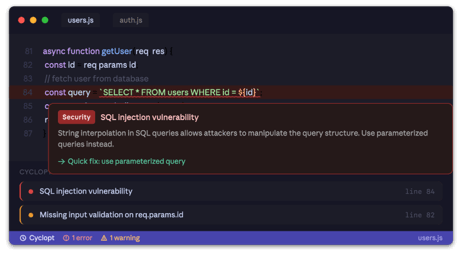
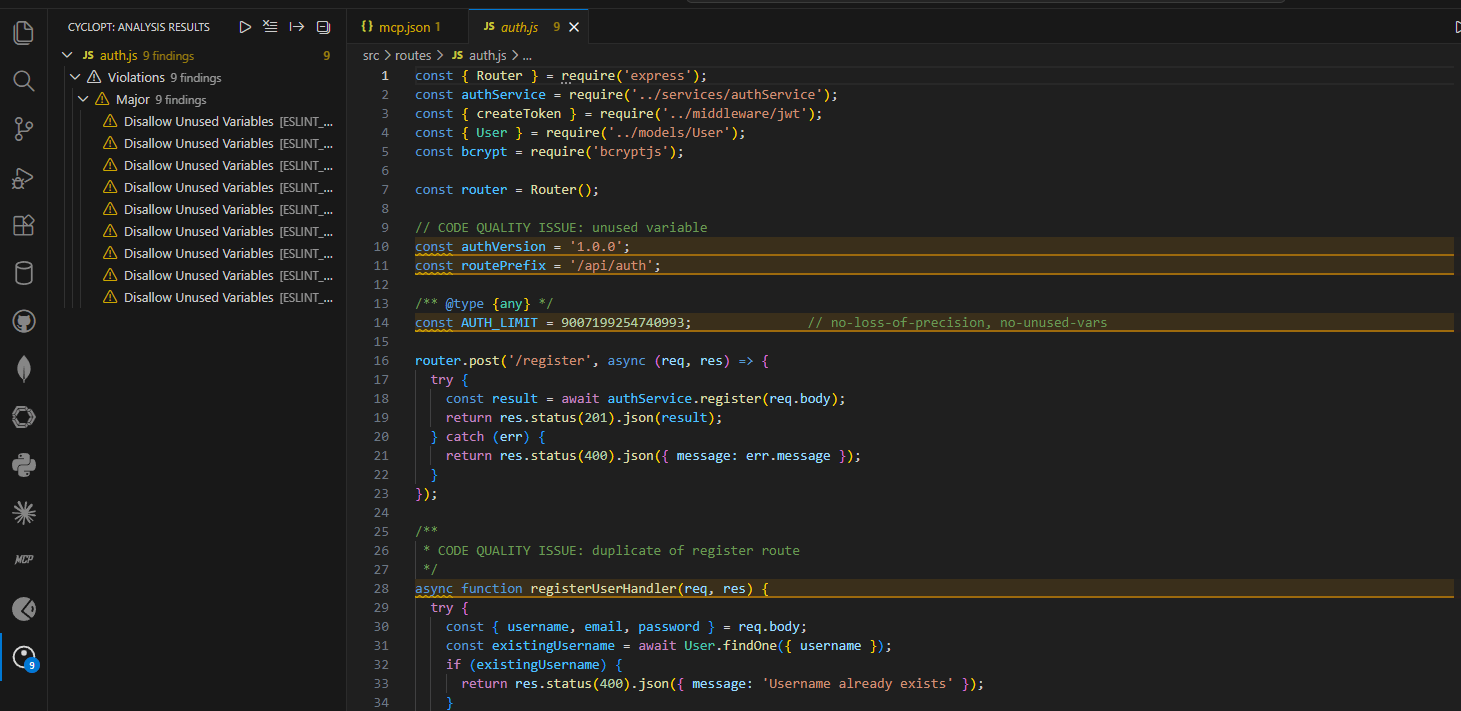
Run Cyclopt's analyzers directly inside your IDE — metrics, security, violations, duplication, and dependency vulnerabilities all in one place. Trigger analysis with a single keyboard shortcut (Ctrl+Shift+A) or let it run automatically every time you save. Issues appear inline in your editor, in the Problems panel, and grouped by severity in the Cyclopt sidebar, so nothing slips through.
Found an issue you want to fix faster? Right-click any finding in the results panel and select "Create AI Prompt to Fix". Cyclopt generates a ready-to-paste prompt that includes the issue description, severity, and the surrounding code context — paste it into Copilot, Cursor, or any AI assistant and get a targeted fix immediately.
Cyclopt detects when AI coding tools like Copilot or Cursor modify your files and automatically re-runs analysis on the changed code. You get quality and security feedback on AI-generated code the moment it lands in your editor, without having to trigger anything manually.
Not every issue needs to stop your workflow. Cyclopt separates findings into high-priority (critical, major) and low-priority categories, lets you filter the results panel to show only what matters right now, and uses the issue count badge on the sidebar so you always know where you stand at a glance.
When you need to share findings with your team or include them in a report, Cyclopt can export the full results as JSON, CSV, a standalone HTML report, or Markdown — directly from the results panel.
Open the Cyclopt settings panel from the activity bar, paste your API token from the Cyclopt dashboard, and save. The extension is now connected to your account.
Select which analyzers you want to run: code metrics, violations, security (SAST), duplication, or dependency vulnerabilities. You can change this at any time from the settings panel.
Right-Click on any supported file and press Analyze Selected Files. Cyclopt submits the file for analysis and displays findings inline in your editor and grouped by severity in the sidebar.