MCP Server

Cyclopt's MCP Server

What is the Cyclopt MCP Server?

The Cyclopt MCP Server connects AI coding assistants with Cyclopt’s software intelligence, giving developers direct access to code quality, maintainability and security insights inside their workflow.

How does it work?

Through the MCP Server, teams can query Cyclopt analysis results, review detected issues, understand key code metrics and receive actionable guidance while working with their AI assistant, without switching tools or interrupting development.

Cyclopt's MCP Server
OVERVIEW

MCP Server's Commands

MCP Server commands allow AI coding assistants to interact directly with Cyclopt’s analysis engine. Through these commands, developers can request different types of code analysis, check job progress and retrieve results without leaving their development workflow.

Instead of treating code analysis as a separate step, the MCP Server makes Cyclopt’s insights available at the exact moment developers and AI agents are working on the code. It turns analysis results into usable context, helping teams move from generated suggestions to reviewed, safer and more reliable software.

Explore the MCP Server’s available commands to see how your AI assistant can request analyses, check job status and retrieve results directly from Cyclopt. Use them to bring code quality, security and maintainability checks into your AI-assisted development workflow.
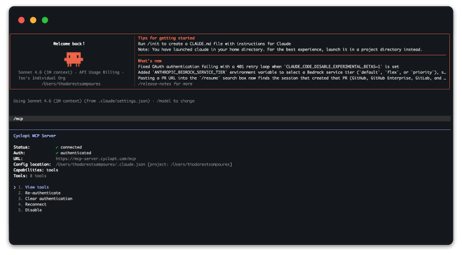
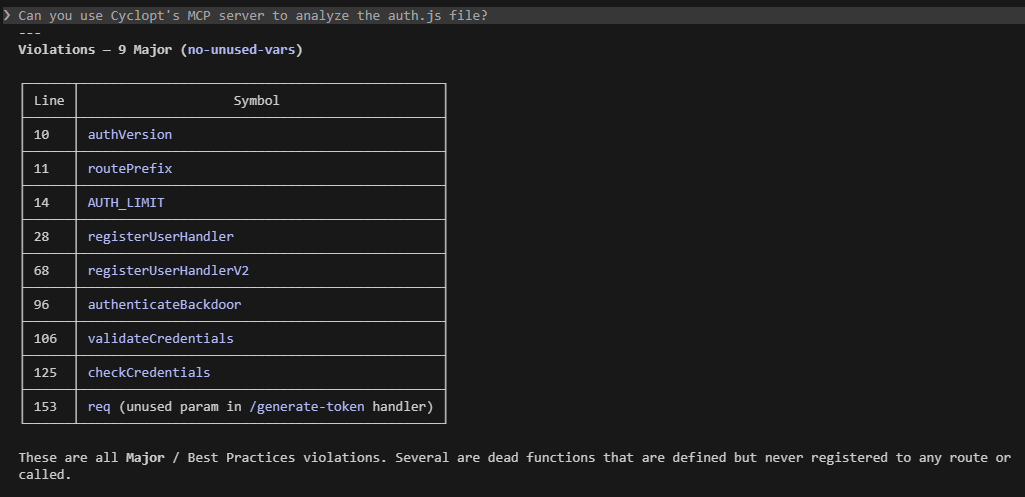
MCP Server's Commands
SET UP

How to use the MCP Server in your AI assistant

1

Claude Code

1. Generate your Cyclopt API token2. Run the MCP add command in CLI using your token:

2

GitHub Copilot

1. Generate your Cyclopt API token2. In your project root, open or create .vscode/mcp.json and add the Cyclopt entry:

3

Open Code

1. Generate your Cyclopt API token2. Find or create opencode.json with the content:

Ship Fast. Validate Smarter.Protect your reputation.


29A, Ptolemaion Street, Coho Building, Thessaloniki, Greece, Tel: +30 2310 471 030
Copyright © 2026 Cyclopt