Early alerts
Early alerts catch problems while they are still small. Instead of waiting for you to go looking, Panorama surfaces the important changes right where you already are, on every overview page.
Where alerts appear
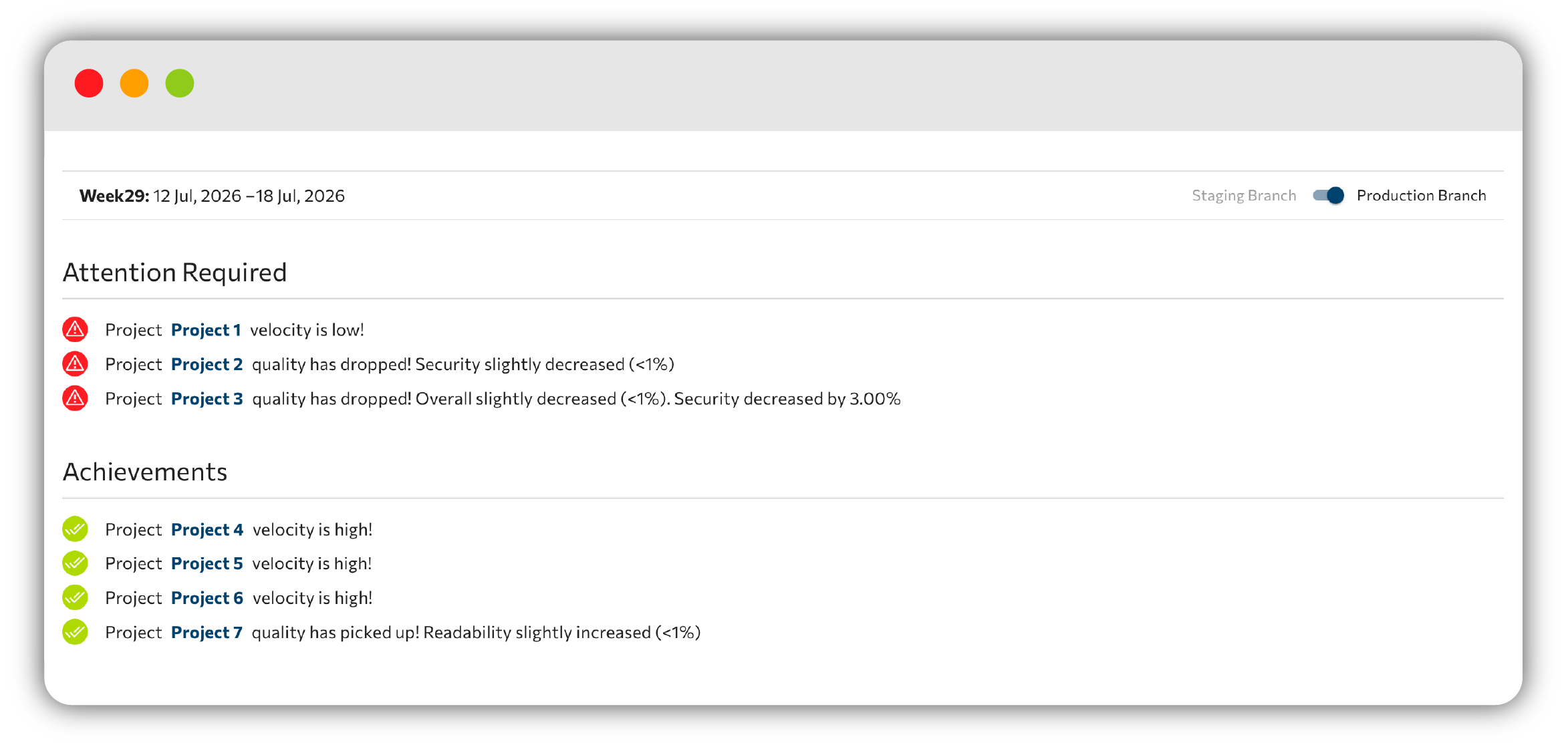
Early alerts show up on the Projects Overview and Organization Overview pages. They come in two feeds:
- attention required (red): things that need a look.
- achievements (green): wins worth celebrating.
Both feeds are driven by weekly system checks and by your quality-gate results.
Typical messages you will see include:
- "has N new violations of high priority!"
- "velocity is low!"
- "quality has dropped! Maintainability decreased by X%"
- "[Gate] broke this week!" / "was fixed this week!", with a deep link to the quality-gates status.
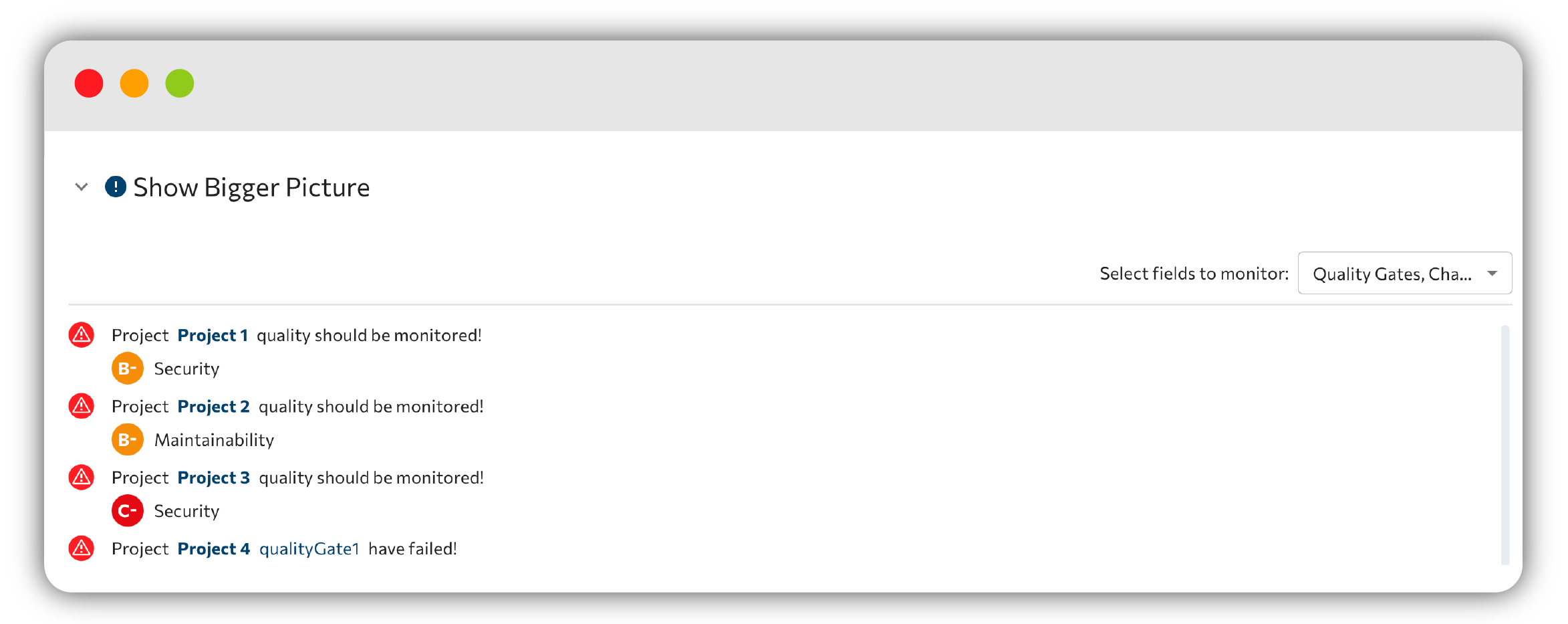
Show Bigger Picture
Expand the Show Bigger Picture accordion to dig deeper. A Select fields to monitor multi-select lets you focus on Characteristics, Quality Gates, Violations, and Vulnerabilities.
From there Panorama shows the detected issues, for example "quality should be monitored!" or "[N] Quality Gates has failed!", or reassures you with "is on track!" and "No issues detected" when everything looks healthy.
A production/staging branch toggle recomputes the alerts per branch, shown alongside Days Saved (this week).
What Panorama checks
The alert feeds are powered by a set of weekly checks:
- Check Velocity
- Check new Violations
- Check new Vulnerabilities
- Check new Characteristics
- Check Cyclopt Saved Days
Which checks are active is configured per project in Settings → System Checks, under "Select information you would like to monitor:" across Characteristics, Violations, and Quality Gates. See Settings to tune them.
Next step
See how these signals map to the people shipping the code in Team Analytics.